Customer App
End-user shopping and credit experience
Screen-by-screen customer journey replicated in the same showcase style as the web app reference.
📱 Customer App
Customer - Screen 1
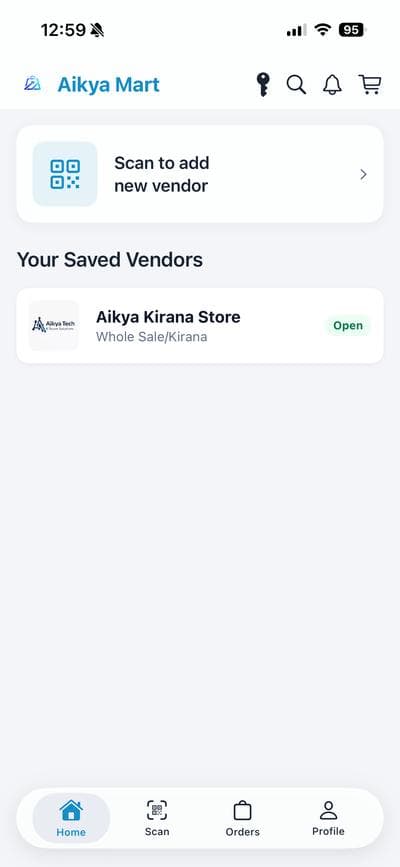
Customer Home: Their Saved Vendors
Customers open directly into saved vendors for faster repeat ordering and lower friction.
- Saved vendor list on home
- Store status visibility
- Quick re-order behavior
Customer - Screen 2
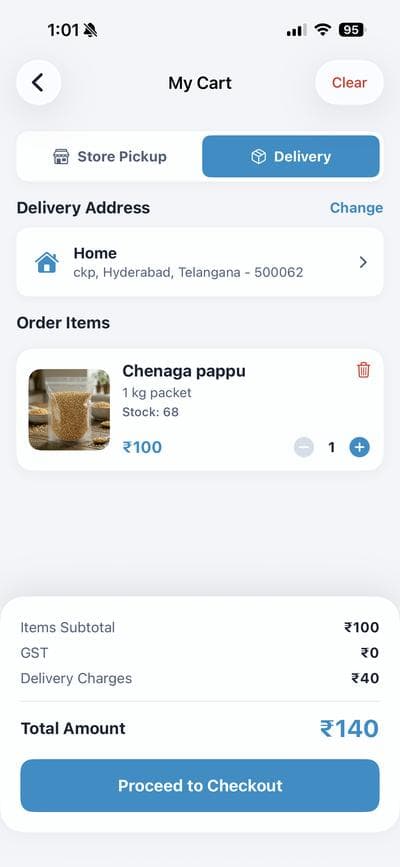
Cart: Delivery with Full Breakdown
Delivery mode keeps address and charges explicit before order confirmation.
- Delivery address visible
- Charge transparency
- Pre-confirm total clarity
Customer - Screen 3
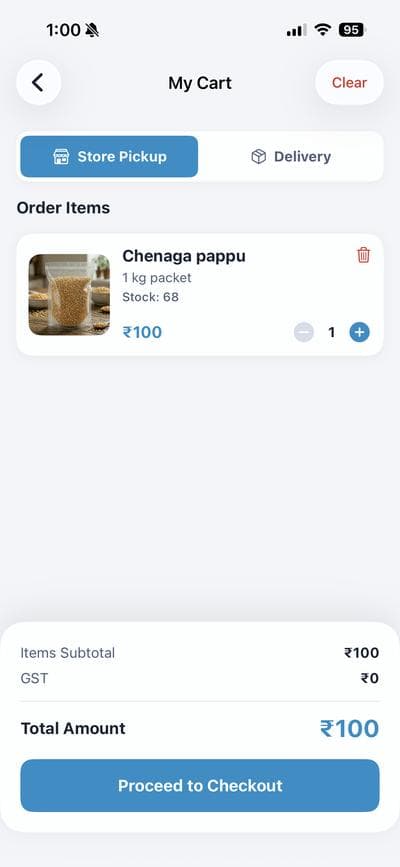
Cart: Store Pickup Option
Pickup mode removes delivery fee and allows cost-aware fulfillment choice.
- One-tap fulfillment switch
- No delivery charge in pickup
- Customer-first flexibility
Customer - Screen 4
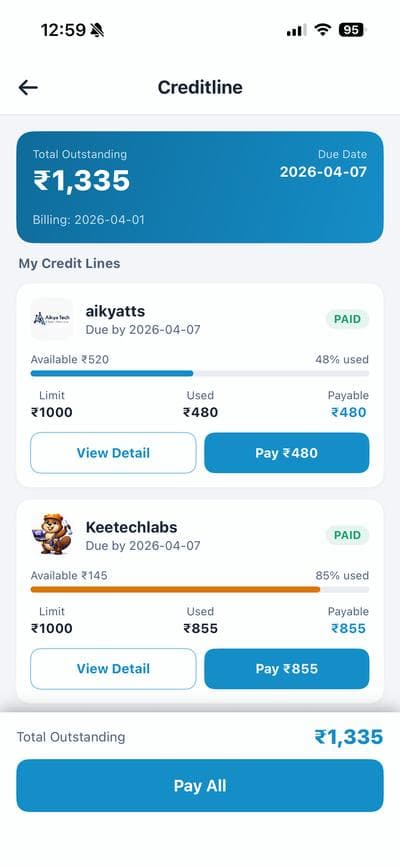
Pay Later Dashboard
Credit limits, dues, and payable balance are grouped in a single finance view.
- Outstanding visibility
- Vendor-wise credit tracking
- Usage and due monitoring
Customer - Screen 5
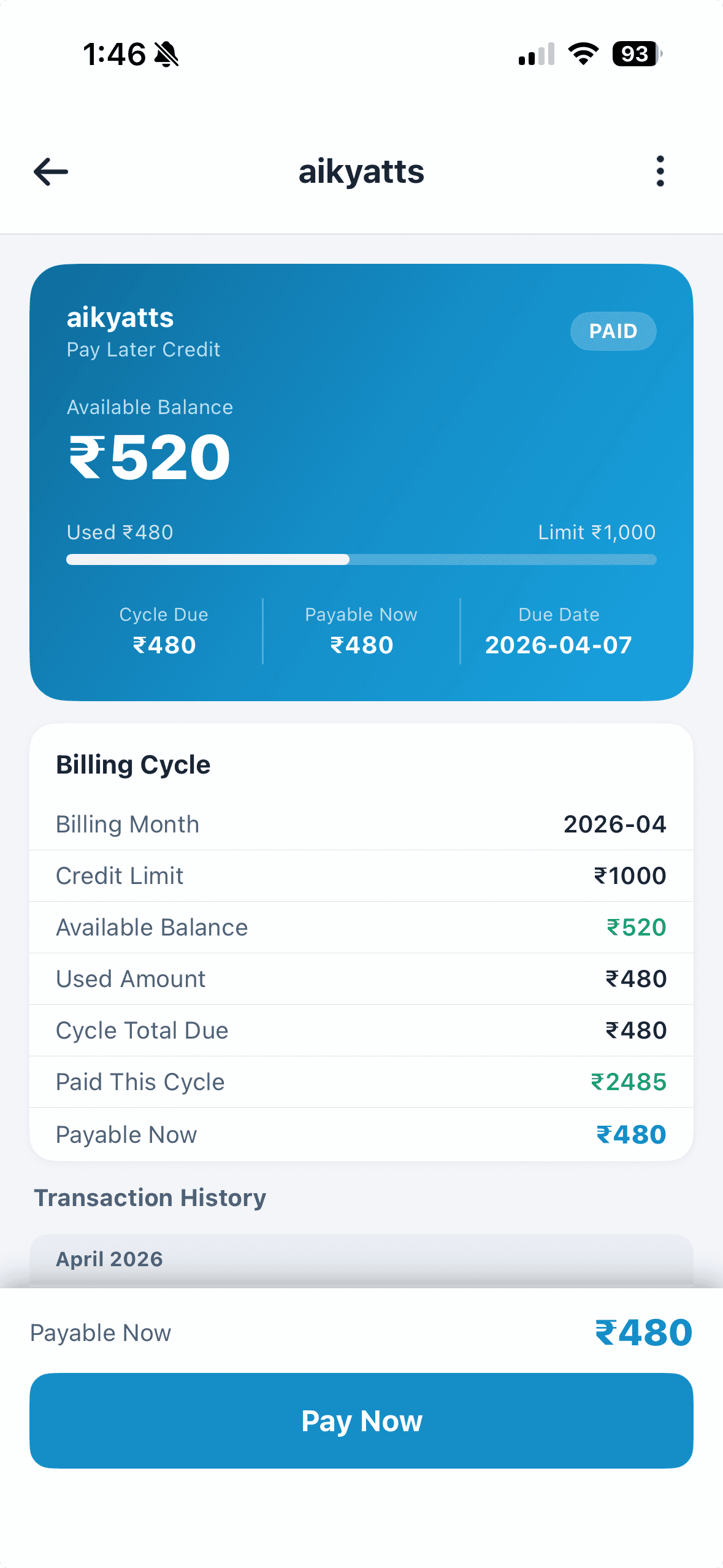
Per-Vendor Credit Detail
Each vendor credit profile includes cycle totals, paid amount, and payable now.
- Cycle-level breakup
- Payment history context
- Pay-now readiness
Customer - Screen 6
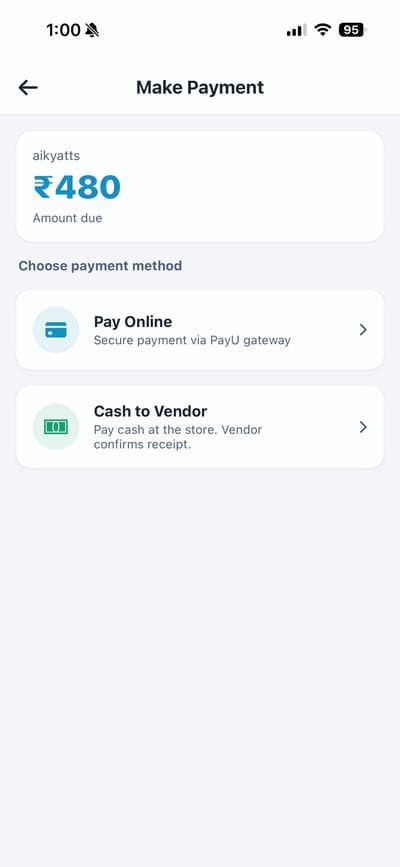
Clearing Dues in App
Customers can settle dues through digital payment flow with clear next action.
- Actionable pay flow
- Repayment confirmation path
- Reduced reconciliation friction
Customer - Screen 7
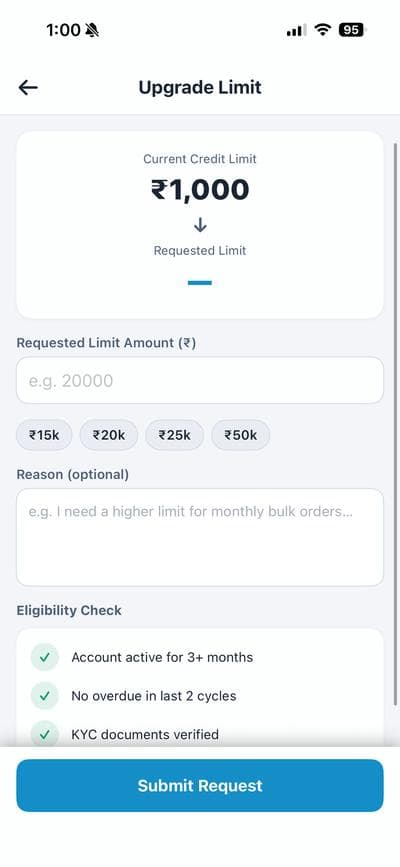
Credit Limit Upgrade Request
Customers can request higher credit limits through structured in-app submission.
- Upgrade request entry
- Eligibility-aware action
- Vendor review workflow support